
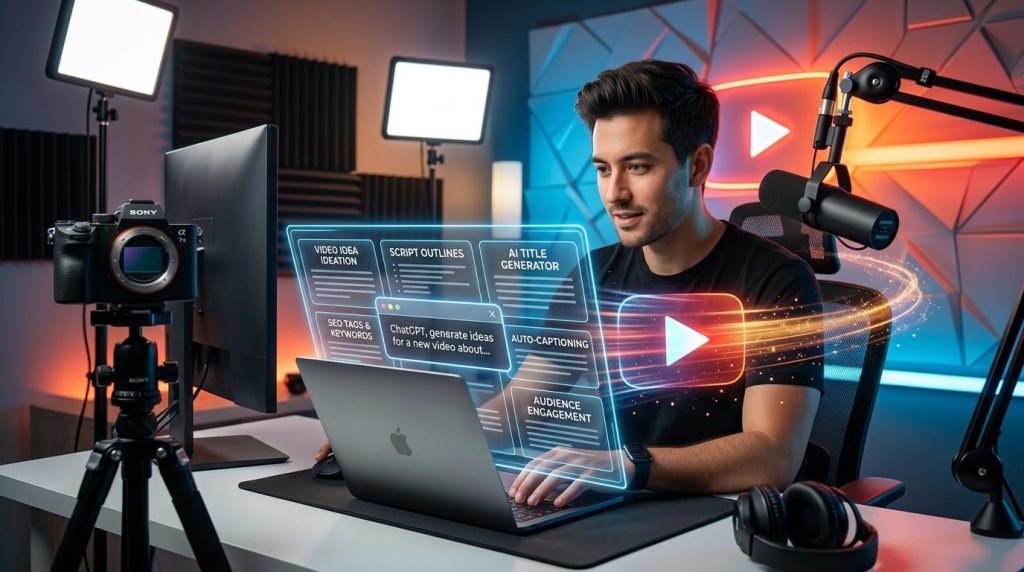
Creating a YouTube video involves much more than pressing the record button. You need an idea, research, a script, visuals, editing, a thumbnail, a title, and a description. For creators working alone, that can take a lot of time.
The good news is that AI tools for YouTube can now help with many of these tasks.
The key is choosing the right tool for the right job. ChatGPT can help with brainstorming and scripts, vidIQ focuses heavily on YouTube research and optimization, Canva can speed up thumbnail creation, ElevenLabs specializes in AI voice and audio, and Descript combines transcription with video editing.
Here are some of the most useful options to consider in 2026.
Quick Comparison: Best AI Tools for YouTube
| Tool | Best For | Main Strength |
|---|---|---|
| ChatGPT | Ideas and scripts | Writing, brainstorming and research |
| vidIQ | YouTube SEO | Keywords, titles, ideas and channel research |
| Canva | Thumbnails | AI design and thumbnail creation |
| ElevenLabs | Voiceovers | Natural-sounding AI voices |
| Descript | Video editing | Transcript-based editing and AI assistance |
The right choice depends on your workflow. You may not need all five.
1. ChatGPT – Best for Scripts, Ideas and Research
ChatGPT is useful at the planning and writing stages of YouTube production.
You can use it to brainstorm video ideas, develop outlines, write draft scripts, rewrite sections, generate hooks, create descriptions, and turn rough notes into structured content.
It can also work with files and images, and supported ChatGPT experiences can search the web for current information. OpenAI says ChatGPT can work with text, images, files, audio, and data, although availability depends on your plan and settings.
Best for:
- Video ideas
- Scripts
- Hooks
- Research assistance
- Descriptions
- Content planning
Example prompt:
Create a 7-minute YouTube script about [TOPIC]. The audience is beginners. Start with a strong 15-second hook, explain the topic with three practical examples, avoid unnecessary filler, and finish with a natural call to action.
The important part is not simply asking AI to “write a YouTube script.” Give it the topic, audience, duration, structure and tone you want.
2. vidIQ – Best for YouTube SEO and Research
If your biggest challenge is deciding what to make, vidIQ is worth looking at.
Its current toolset includes AI keyword research, video ideas, title generation, descriptions, scripts, tags, channel audits and other YouTube-focused tools. Its keyword tools provide estimated search volume, competition and related terms.
One useful distinction is that AI keyword generation and keyword research are not exactly the same thing. An AI generator can give you ideas, while research tools can provide additional data for comparing opportunities.
vidIQ also offers tools that can work with ChatGPT through its vidIQ integration, allowing creators to bring YouTube data and research into an AI conversation.
Best for:
- YouTube keyword research
- Video ideas
- Titles
- Descriptions
- Competitor research
- Channel analysis
- SEO optimization
Best use: Use it before making a video to decide which topic and angle are worth investigating.
3. Canva – Best for YouTube Thumbnails
A great video still needs a strong visual package.
Canva is particularly useful for creators who don’t have advanced graphic-design skills. Its YouTube thumbnail tools include templates, drag-and-drop editing and AI-powered features. Canva also offers an AI thumbnail generator that lets you describe the thumbnail you want and then refine the result.
For example, instead of starting with a blank canvas, you could describe:
Create a dramatic YouTube thumbnail about “5 AI Tools That Save Hours Every Week.” Use a clean technology background, one large central subject, strong visual contrast, and very short readable text.
You should still edit the result yourself. A thumbnail needs to accurately represent the video rather than simply maximize clicks.
Best for:
- YouTube thumbnails
- Channel graphics
- Visual branding
- Social media graphics
- AI-assisted design
4. ElevenLabs – Best for AI Voiceovers
Voiceover is especially important for faceless YouTube channels, tutorials, documentaries and explainer videos.
ElevenLabs provides AI voice generation and a large voice library designed for different types of content, including YouTube. Its current creator tools also include voice-related features and AI audio capabilities.
Its current AI voice generator page states that the free tier provides 10,000 characters per month, while commercial usage rights are included with paid plans. Because pricing and licensing can change, creators should check the current terms before publishing commercial content.
Best for:
- YouTube narration
- Faceless videos
- Explainers
- Documentary-style videos
- Multilingual voiceovers
- Voice experimentation
If you use voice cloning, make sure you have the necessary permission and rights to use the voice.
5. Descript – Best for Editing and Repurposing
Descript takes a different approach to video editing. Instead of relying only on a traditional timeline, it allows creators to work with a transcript and edit the video through text.
That makes it particularly useful for talking-head videos, podcasts, interviews, tutorials and other speech-heavy content.
Descript’s current AI video-editing lineup includes its AI co-editor, while its broader toolset is aimed at editing video and audio more efficiently.
Best for:
- Transcript-based editing
- Talking-head videos
- Podcasts
- Interviews
- Removing unwanted sections
- Repurposing long-form content
For creators who spend a lot of time cutting spoken content, transcript-based editing can make the workflow easier to manage.
What Is the Best AI Tool for YouTube?
There isn’t one tool that is best for every creator.
Instead, match the software to your biggest bottleneck:
- Need scripts? Start with ChatGPT.
- Need YouTube keyword research? Try vidIQ.
- Need thumbnails? Canva is a strong option.
- Need AI voiceovers? Consider ElevenLabs.
- Need transcript-based editing? Consider Descript.
Many creators can combine several of these tools instead of trying to force one platform to handle everything.
A Simple AI YouTube Workflow
You can combine the tools into a practical production system:
Step 1 — Find the topic
Use YouTube search, your own audience data, and a tool such as vidIQ to investigate potential topics.
Step 2 — Build the outline
Use ChatGPT to turn the topic into a logical structure.
Step 3 — Write the script
Give ChatGPT your target audience, video length, tone and key points.
Step 4 — Create the voiceover
If your format requires narration, use a suitable AI voice tool such as ElevenLabs.
Step 5 — Edit the video
Use your preferred editor. Descript can be particularly useful when the content is heavily based on spoken narration.
Step 6 — Create the thumbnail
Use Canva to build a thumbnail that clearly communicates the video’s subject.
Step 7 — Optimize the upload
Use keyword research and YouTube-focused tools such as vidIQ to refine the title, description and other metadata.
The creator should remain responsible for the final result. AI can accelerate production, but it doesn’t replace judgment, originality, fact-checking or understanding your audience.
What to Look for When Choosing AI YouTube Tools
Don’t choose a tool simply because its website says it can “create viral videos.”
Instead, consider:
1. Does it solve a real bottleneck?
If writing scripts takes you an hour, a writing assistant may provide more value than another video generator.
2. Does it fit your content format?
A podcast creator has different needs from a gaming creator or a Shorts channel.
3. Are the free limits enough?
Many AI tools have free tiers with restrictions. Check the current plan before building your entire workflow around a feature.
4. What are the commercial-use rules?
This is particularly important for AI-generated voices, images, music and video.
5. Can you edit the output?
The best workflow is usually not “generate and publish.”
Generate, review, edit and improve.
Common Mistakes When Using AI for YouTube
AI can make production faster, but it can also make bad content easier to produce.
Avoid:
- Publishing AI-generated scripts without checking facts.
- Using generic thumbnails that look like everyone else’s.
- Choosing keywords only because a tool gives them a high score.
- Copying another creator’s format too closely.
- Using voices or assets without checking usage rights.
- Creating videos around search terms that don’t match your audience.
- Publishing large amounts of repetitive, low-value content.
AI should reduce repetitive work while leaving the important creative decisions to you.
Frequently Asked Questions
What are the best AI tools for YouTube beginners?
ChatGPT is useful for beginners who need help with ideas and scripts, Canva is accessible for thumbnail design, and vidIQ can help with YouTube-focused research. Your best combination depends on the part of production you find most difficult.
Can AI create an entire YouTube video?
Some platforms can automate multiple parts of production, but the capabilities differ significantly. A practical workflow often combines several specialized tools rather than relying on one tool for everything.
What is the best AI tool for YouTube scripts?
ChatGPT is a strong general-purpose option for brainstorming, outlining and drafting scripts. The quality of the result depends heavily on the instructions and source material you provide.
What is the best AI tool for YouTube thumbnails?
Canva is a practical option for creators who want templates, editing tools and AI-assisted thumbnail generation in one place.
Can AI-generated voices be used on YouTube?
AI-generated voices can be used for YouTube content, but creators should check the specific tool’s licensing terms and YouTube’s applicable policies. Commercial-use rights can differ between plans.
Are AI YouTube tools free?
Some offer free tiers or free tools, while others restrict advanced features or usage. Free limits change frequently, so check each provider’s current pricing and plan information before committing to a workflow.
Can AI help with YouTube SEO?
Yes. AI can help generate keyword ideas, titles, descriptions and content angles. Tools such as vidIQ also provide YouTube-specific keyword and optimization features. However, no AI tool can guarantee rankings or views.
Conclusion
The best AI tools for YouTube aren’t necessarily the tools that promise to automate everything.
A better approach is to build a workflow where each tool handles a specific job.
Use ChatGPT for ideas and scripts, vidIQ for YouTube research, Canva for thumbnails, ElevenLabs for narration when appropriate, and Descript for transcript-based editing.
Then add your own judgment.
Your audience doesn’t care which AI tool produced a script or thumbnail. They care whether the video is useful, interesting, accurate and worth watching.
AI can help you produce that content faster. The creative direction, quality control and final decisions should still come from you.


