
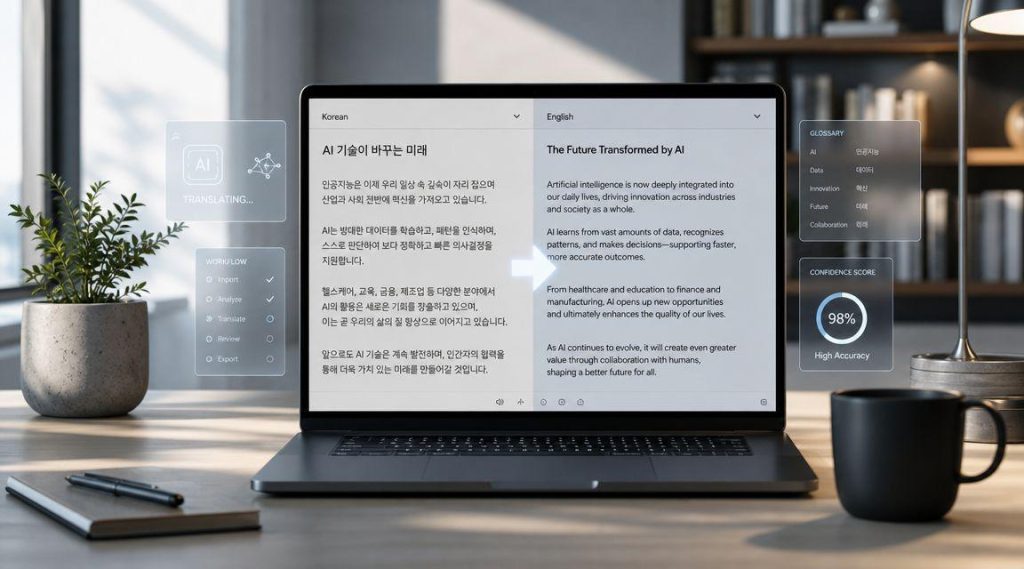
Translating a message, document, or website into another language is easier than ever. Modern AI translation tools can convert text in seconds, help preserve meaning, and make communication across languages more convenient.
But not every translator is suited to every task. Some are designed for quick translations while others offer document support, speech translation, or more control over tone and wording.
In this guide, we compare five useful options: DeepL, Google Translate, ChatGPT, Microsoft Translator, and Claude. You’ll learn what each tool does best, how to translate text with AI, and what to check before using a translation professionally.
What Is an AI Translator?
An AI translator uses artificial intelligence to convert text or speech from one language into another. Modern systems consider context and sentence structure rather than simply replacing individual words.
For example, the English phrase “That sounds good” could be translated differently depending on whether it appears in a casual conversation, a business email, or a formal agreement.
AI translation tools can help with:
- Everyday messages and conversations
- Emails and business communication
- Articles and website content
- Travel phrases and spoken conversations
- Documents and study materials
- Understanding text in images
The result still needs human review when accuracy, tone, or legal meaning matters.
5 Best AI Translators to Consider in 2026
1. DeepL – Best for Text and Document Translation
<PRIVATE_PERSON> is a dedicated translation service known for its text and document translation workflow. It supports a range of languages and offers features such as glossaries and document translation, with availability depending on the plan.
Its document features make it useful when you need to translate supported files rather than copy and paste every paragraph.
Best for: Business writing, articles, and supported document formats.
Free access: Yes. DeepL’s free service has usage and file limits. Its US pricing page lists a free allowance of 50,000 characters per month and one file translation per month, subject to the current plan terms.
Limitation: Language coverage is not identical across every language pair. DeepL’s free-service privacy terms also differ from its paid Pro protections, so avoid submitting sensitive personal or business information through the free service.
2. Google Translate – Best for Everyday and Travel Translation
Google Translate is a convenient choice for quick translations. It supports text, images, speech, documents, and websites. Its mobile app can also help users translate signs, menus, and other printed text using a camera.
Feature availability varies by language, device, and internet connection. Some languages can be downloaded for offline use.
Best for: Travel, everyday conversations, quick text translation, and understanding foreign-language content.
Free access: Yes, Google Translate is available free for general use.
Limitation: A quick translation may miss cultural context, humor, or specialist terminology. Review important text before sharing it.
3. ChatGPT – Best for Context and Tone
ChatGPT can translate text between languages and follow additional instructions about style, audience, and tone. For example, you can ask it to translate a message into natural Spanish while keeping it friendly and professional.
It can also explain alternative translations or clarify why a phrase may not work literally in another language.
Best for: Emails, conversational text, rewriting, and translations that need a particular tone.
Free access: ChatGPT has a free plan, with usage limits that may apply.
Limitation: Because it is a general-purpose assistant, it may occasionally change details or produce an overly creative translation. Tell it to preserve the original meaning and check names, dates, numbers, and technical terms.
4. Microsoft Translator – Best for Speech and Image Translation
Microsoft Translator supports text, speech, image translation, and spoken output for supported language combinations. Its features can be helpful when communicating with someone who speaks another language or understanding written information while travelling.
Microsoft also provides language-specific feature information, which is useful because not every language supports every translation mode.
Best for: Travel, spoken conversations, and quick translations across supported devices.
Free access: Microsoft offers consumer translation features without a paid subscription.
Limitation: Speech and image support vary by language. Check the supported-language list before depending on a feature for an important conversation.
5. Claude – Best for Nuanced Text and Longer Passages
Claude is a general-purpose AI assistant that can translate text and work with different writing styles. You can provide a passage and ask for a translation that preserves its meaning, tone, and intended audience.
It is also useful when you want to discuss ambiguous wording or compare alternative ways to express an idea.
Best for: Longer passages, nuanced writing, and translations that need explanation or adaptation.
Free access: Claude offers a free plan, subject to usage limits.
Limitation: Translation quality varies by language. Anthropic notes that Claude has stronger performance in some languages than others, so review less familiar language pairs carefully.
AI Translators Compared
| Tool | Best for | Free access |
|---|---|---|
| DeepL | Text and document translation | Yes, with limits |
| Google Translate | Everyday and travel translation | Yes |
| ChatGPT | Context, tone, and rewriting | Yes, with limits |
| Microsoft Translator | Speech and image translation | Yes |
| Claude | Nuanced and longer text | Yes, with limits |
How to Translate Text With AI
You can translate a short message in a few steps:
- Choose a tool: Select a dedicated translator or an AI assistant based on your task.
- Enter the original text: Paste the sentence or upload a supported document.
- Select the target language: Specify the language and, where relevant, its regional variety.
- Add context: Explain who will read the translation and whether it should sound formal, friendly, or conversational.
- Review the result: Check names, numbers, dates, technical terms, and the overall meaning.
A Useful AI Translation Prompt
Try this prompt in ChatGPT or Claude:
Translate the following text from [source language] into [target language].
Audience: [Who will read it]
Tone: [Formal, friendly, professional, or conversational]
Preserve the original meaning, names, dates, numbers, and important details. Do not add information or summarize the text. If a phrase has multiple possible meanings, explain the ambiguity separately.
Text: [Paste your text here]
Important Things to Check Before Using AI Translation
AI translation is useful, but it is not a substitute for professional review in every situation.
- Accuracy: Check the meaning, especially for technical, medical, financial, or legal content.
- Regional language: Spanish used in Spain may differ from Spanish used in Mexico. Specify the intended audience.
- Privacy: Read the provider’s data policies before uploading personal or confidential documents.
- Formatting: Document translation can affect tables, layouts, and images.
- Professional use: For contracts, immigration documents, official certificates, or medical instructions, use a qualified human translator when required.
Conclusion
The best AI translator depends on what you need to translate. DeepL is worth considering for supported documents and business text, Google Translate is convenient for everyday communication and travel, and ChatGPT or Claude can help when tone and context matter. Microsoft Translator is another useful option for speech and image translation.
Start with a short, non-sensitive sample in your chosen tool. Compare the result with the original, check important details, and use a qualified human translator when the translation has legal, medical, or official consequences.


