
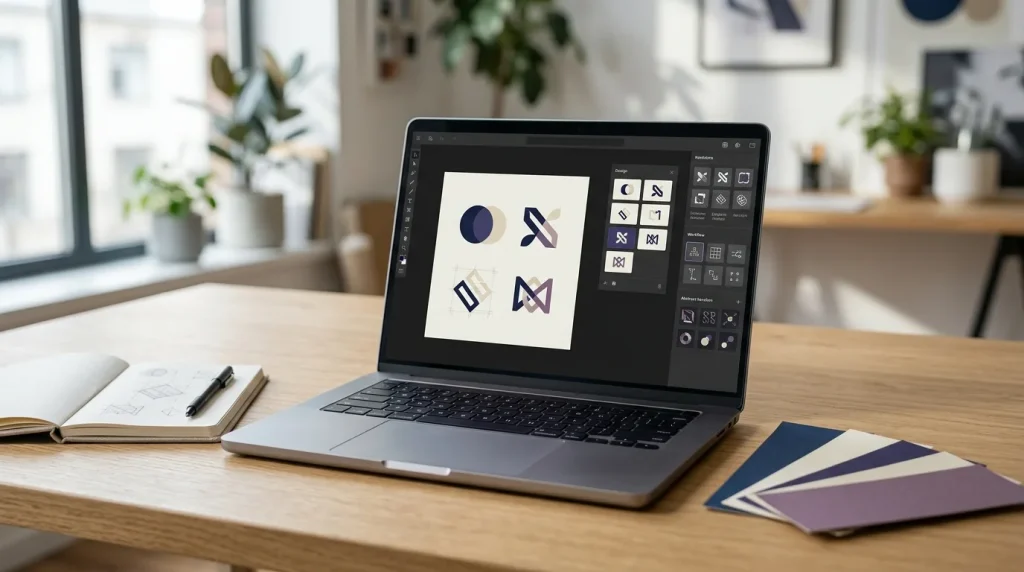
You do not need to hire a graphic designer or learn complicated design software to create a logo for your business. With an AI logo generator, you can explore logo concepts, experiment with colors and fonts, and create a design that reflects your brand.
The challenge is finding a tool that lets you do more than generate a preview. Some platforms allow you to create and download a logo for free, while others let you design for free but charge for high-resolution files or commercial-use packages.
In this guide, you will learn how to create a professional logo with AI, discover free and paid logo-making tools, use ready-to-copy prompts, and prepare your logo for websites, social media, and business materials.
Quick Answer: How Can You Create a Logo With AI for Free?
You can create a logo using a free AI logo maker by following these steps:
- Define your brand name, audience, and visual style.
- Choose a logo generator that offers suitable free features.
- Describe your brand in a detailed AI prompt.
- Generate several concepts and select the strongest direction.
- Refine the typography, colors, spacing, and symbol.
- Download the available file and check its usage rights.
For beginners, Adobe Express is a useful starting point because its official AI logo generator offers logo creation, editing, and PNG downloads. Its free plan and generative-credit limits still apply.
Adobe Express
One important distinction: Creating a logo for free does not always mean you can download a high-resolution version for free or automatically obtain exclusive trademark rights.
What Is an AI Logo Generator?
An AI logo generator is a design tool that uses artificial intelligence to help create logo concepts from a written description, brand name, or selected design preferences.
Depending on the platform, it may generate symbols, suggest typography, create color combinations, or produce multiple logo variations that you can edit.
For example, imagine you are starting a technology blog called “AI Skol.” You could ask a logo generator to create a minimalist wordmark using dark navy, white, and a subtle violet accent, with clean typography suitable for a website header and social media profile.
The tool might suggest several directions, such as:
- A simple text-based logo.
- A geometric symbol paired with the brand name.
- An abstract AI-inspired icon.
- A monogram using the initials of the brand.
These are starting points rather than finished branding decisions. You still need to choose a design that is readable, distinctive, and appropriate for your audience.
Best AI Logo Generators to Try
The following tools offer different approaches to AI-assisted logo creation. Their free features, download options, and commercial terms are not identical.

1. Adobe Express — Best starting point for free logo creation
Adobe Express offers an AI logo generator that turns a text description into logo concepts. You can refine the results in its editor and download a PNG with a transparent background.
Free access: Logo generation and editing are available through its free offering, subject to generative-credit and feature limits.
Best for: Beginners, bloggers, creators, and small businesses that want to create and refine a logo without advanced design skills.
Adobe Express

2. Looka — Best for exploring brand concepts
Looka lets you create, edit, and save logo concepts before purchasing a package. You can experiment with typography, symbols, colors, and layouts.
Free access: You can design and preview logos for free, but downloading and using the final logo requires a purchase. Its logo packages and annual Brand Kit subscriptions have different pricing structures.
Looka
+1
Best for: Entrepreneurs who want to explore multiple branding directions before paying for final files.

3. Wix Logo Maker — Best for logos and business branding
Wix Logo Maker combines AI-assisted logo creation with manual customization and optional branded assets.
Free access: You can obtain a low-resolution sample, but high-resolution files and additional assets require a suitable paid plan. Some plans include commercial usage rights and scalable SVG files.
Wix.com
Best for: Small businesses that want to create a logo and potentially expand into branded marketing materials.
Which tool should you choose?
| Tool | What you can do before paying | Main consideration |
|---|---|---|
| Adobe Express | Generate, edit, and download logos using available free features | Generative-credit limits and feature availability |
| Looka | Generate, customize, preview, and save concepts | Final logo downloads require payment |
| Wix Logo Maker | Create a logo and access a sample | High-resolution files and additional assets may cost extra |
If your goal is to spend nothing, start with Adobe Express and confirm that the file you can download meets your needs. If you are willing to pay for a package, compare the file formats and usage terms before purchasing.
Step-by-Step: How to Create a Professional Logo With AI
Step 1: Define your brand before generating a logo
The best logo prompt starts with a clear understanding of the brand. If you ask an AI tool to create something “modern and professional,” the result may be attractive but generic.
Write down these five details:
- Brand name: The exact name that must appear in the logo.
- Industry: Technology, fashion, food, education, consulting, or another field.
- Audience: The people you want to attract.
- Personality: Minimalist, playful, luxurious, trustworthy, bold, or friendly.
- Colors: Two or three colors that support the intended identity.
For example, a finance consultancy might use navy and muted gold to communicate stability and professionalism. A children’s learning brand might use brighter colors and rounded typography.
Choose a direction that suits your actual audience rather than following a design trend simply because it is popular.
Step 2: Choose a logo style
Most beginner-friendly logos fall into a few useful categories.

Wordmark
A logo built primarily around the brand name. This is often an excellent choice for blogs, personal brands, agencies, and businesses with short names.

Icon plus wordmark
A recognizable symbol paired with the business name. This can work well for technology companies and established brands that need a flexible identity.

Monogram
A design based on one or more initials. It can be useful when the full brand name is long or when a compact profile icon is needed.
For a new blog or small business, begin with a wordmark or a simple icon paired with text. These styles are usually easier to read at small sizes than a complicated illustration.
Step 3: Write a detailed AI logo design prompt
A good logo prompt explains what the brand does, who it serves, how it should feel, and which visual elements to include or avoid.
Here is a reusable prompt for a professional logo.
Professional logo generator prompt
Design a clean, professional logo for [BRAND NAME], a [TYPE OF BUSINESS] serving [TARGET AUDIENCE]. Brand personality: [THREE OR FOUR ADJECTIVES]. Logo style: [WORDMARK / ICON AND WORDMARK / MONOGRAM]. Color palette: [PRIMARY COLOR], [SECONDARY COLOR], and [OPTIONAL ACCENT]. Typography: Choose lettering that is highly readable, balanced, and appropriate for the brand. Symbol: If needed, create a simple, distinctive geometric or abstract symbol related to the brand’s purpose. Composition: Use balanced spacing and a clear visual hierarchy. Make the design recognizable at small sizes and suitable for a website header, social media avatar, and business materials. Background: Plain white or transparent if supported. Avoid: Generic clip art, unnecessary decorative elements, excessive gradients, overly complicated illustrations, mockups, watermarks, and extra text. Display the exact brand name as: “[BRAND NAME]“. Create a simple, polished logo concept that can be refined in a graphic editor. Keep the design practical for real-world branding. Copy logo prompt
Replace the placeholders before submitting the prompt. If the tool struggles to reproduce your exact business name, generate the symbol separately and add the text in the editor.
Step 4: Generate several concepts
Do not settle on the first result. Generate multiple options and compare them against your brand brief.
For each concept, ask:
- Is the brand name spelled correctly?
- Can I understand the design immediately?
- Does it look suitable for my industry?
- Is the symbol simple enough to recognize?
- Does the design still work in black and white?
- Would I recognize it when displayed as a small website icon?
Select two or three promising directions and refine them. Changing one element at a time—such as the font, icon, or color—makes it easier to identify improvements.
Step 5: Refine the logo in the editor
AI-generated designs sometimes contain distorted lettering, unnecessary details, or inconsistent spacing. Use the available editor to correct these problems.
Focus on four areas.
Typography: Use a readable typeface. Avoid combining too many fonts or choosing decorative lettering that becomes difficult to read at small sizes.
Color: Start with one main color and one supporting color. A simpler palette is easier to use consistently across your website and social accounts.
Spacing: Leave enough room around the symbol and brand name. Crowded elements make a logo harder to recognize.
Simplicity: Remove any symbol or decorative feature that does not improve recognition.
If your generator cannot produce the required text accurately, use its generated artwork as a starting point and recreate the lettering in a graphic editor. Do not assume every AI-generated logo is ready for professional use.
Step 6: Download the right logo file
The file format matters because a logo used on a website has different requirements from one printed on a sign or a T-shirt.
| Format | Best use | Important detail |
|---|---|---|
| PNG | Website headers, social media, presentations | Supports transparent backgrounds when exported that way |
| SVG | Websites and scalable graphics | Vector format that can resize without losing sharpness |
| Print workflows and sharing artwork | Suitability depends on how the file was exported | |
| JPG | Simple images on solid backgrounds | Does not support transparency |
For a basic website, a transparent PNG is often sufficient. For large-format printing, an SVG or another suitable vector file is generally preferable.
Before paying for a download, confirm which formats are included in the plan. Wix, for example, distinguishes between PNG downloads and plans that include resizable SVG files.
Wix.com
Save the original file in a dedicated folder, along with your chosen colors, font information, and any alternate logo versions.
Step 7: Test the logo in real situations
A logo can look excellent on a large design canvas and still fail in actual use.
Place it in a few realistic settings:
- At the top of your website.
- In a small square social media profile image.
- On a white background and a dark background.
- In a black-and-white version.
- On a simple business card or document.
Check whether the name remains readable and the symbol is still recognizable. If it disappears when reduced to a small size, simplify the design or create a separate icon version.
Do not stretch the logo to fit a space. Resize it proportionally and use an appropriate variation for each background.
Ready-to-Use AI Logo Prompts for Different Businesses
You can adapt these prompts to create logo concepts for common projects.
1. Technology blog or AI brand
Example brand: AI Skol
“Design a minimalist wordmark logo for “AI Skol,” an educational website that teaches people how to use artificial intelligence. Use deep navy, white, and a restrained violet accent. Choose clean, modern typography with excellent readability. Add a subtle geometric AI-inspired detail only if it strengthens the identity. Avoid robots, complex circuits, stock icons, gradients that reduce clarity, and extra text. Create a scalable-looking concept suitable for a website header and social profile. “
2. Premium fashion brand
“Design an elegant minimalist wordmark for “[BRAND NAME],” a premium women’s fashion and essentials brand. Use sophisticated typography, balanced letter spacing, and a refined burgundy, ivory, and muted gold palette. The logo should feel modern, feminine, timeless, and trustworthy. Avoid obvious clothing illustrations, decorative icons, and unnecessary flourishes. Keep the brand name clear and readable at small sizes.”
3. Freelance or digital agency
“Design a modern, confident logo for “[BRAND NAME],” a digital services agency helping small businesses improve their online presence. Use a simple geometric symbol and clean sans-serif typography. Choose dark navy, white, and one restrained accent color. Make the design professional, memorable, and easy to reproduce on websites, proposals, and social media. Avoid generic lightbulbs, globes, and overly detailed illustrations. “
These prompts are starting points. Adapt the colors, audience, typography, and symbols to the actual brand rather than using the same style for every business.
Important Things to Check Before Using an AI-Generated Logo
Creating an attractive logo is only part of the process. If you intend to build a real business around it, check these issues before using the design commercially.
Commercial-use rights
Read the tool’s current terms and the license for any included fonts, icons, illustrations, or other design assets. A paid download does not necessarily mean every individual element is exclusive to your brand.
For example, Looka distinguishes ownership of the overall purchased logo design from rights to individual elements.
Looka
Keep a copy of the applicable terms and your purchase confirmation if you buy a logo package.
Copyright and trademark considerations
A logo download and a registered trademark are different things. Purchasing a logo file does not automatically register your brand name or guarantee that nobody else can use a similar design.
Before committing to a logo for a new business:
- Search for existing businesses using the same or similar name.
- Look for visually similar logos in your industry.
- Check relevant trademark databases, including the United States Patent and Trademark Office.
- Consider professional legal advice if the brand will be central to a significant business investment.
AI-generated artwork can also raise questions about originality and intellectual property. Do not assume that an AI-generated symbol is unique simply because the tool created it.
Image quality and file limitations
A small PNG may look fine on a social media profile but appear blurry when enlarged. A transparent background is also important if you want to place your logo over different website colors.
Keep a high-quality master file and export appropriately sized versions for different uses. If you need a vector file, verify that the chosen tool actually provides one.
Privacy
Avoid entering confidential business plans, private customer information, passwords, or other sensitive details into a logo generator. Check the service’s privacy policy if you intend to upload proprietary reference artwork.
Frequently Asked Questions
1. What is the best free AI logo generator?
Adobe Express is a useful place to start because its official AI logo generator supports creating, editing, and downloading logo concepts through its free offering, subject to usage limits. If you need additional formats or brand assets, compare paid alternatives before purchasing.
2. Can I create a logo with AI without design skills?
Yes. Describe your brand, choose a visual direction, generate concepts, and refine the strongest result in an editor. You do not need professional design skills to begin, although reviewing typography, spacing, and file quality will improve the final result.
3. Can I download an AI-generated logo for free?
Some tools offer free downloads, while others restrict downloads or provide only low-resolution samples. Adobe Express offers PNG downloading through its logo generator, while Looka requires payment to download and use its completed logos. Always verify the current terms of the particular plan.
4. Can I use an AI-generated logo for my business?
Potentially, yes, provided you comply with the tool’s terms and the licenses of any included assets. Check whether commercial use is permitted, whether the design includes third-party elements, and whether a similar logo or trademark already exists.
5. Can AI generate a logo with my exact business name?
It can, but image-generating models sometimes distort letters or misspell words. If accurate typography is important, use an editor to add the exact brand name or choose a tool designed to combine text and symbols reliably.
6. Which logo format is best for a website?
A transparent PNG is usually adequate for a standard website header. SVG is useful when you need a scalable vector logo, provided your platform supports it and the file is properly prepared.
7. Can I trademark an AI-generated logo?
Possibly, depending on the design, the level of human contribution, and the applicable law. In the United States, copyright protection for AI-assisted work depends on the human-authored elements, while trademark eligibility is a separate question. Consult the relevant official guidance or a qualified intellectual property professional for your specific situation.
8. How can I make an AI-generated logo look more professional?
Keep the design simple, use readable typography, limit the color palette, correct any spelling errors, and test it at small sizes. Avoid unnecessary symbols and effects. A logo that remains clear in black and white is often more versatile than one that depends on complicated visual effects.
Conclusion
Creating a professional logo with AI can be an affordable way to establish your brand’s visual identity. Start by defining your brand, choose a logo generator that matches your budget, and use a detailed prompt to explore several concepts.
Then refine the best design, check its licensing and commercial-use terms, and download the file formats you actually need.
The goal is not simply to create a logo that looks attractive. It is to create one that people can recognize, that fits your brand, and that you can use confidently across your website and business materials.
If you are starting from scratch, begin with a simple wordmark, test it in real-world settings, and invest in additional branding assets only when you need them.


