
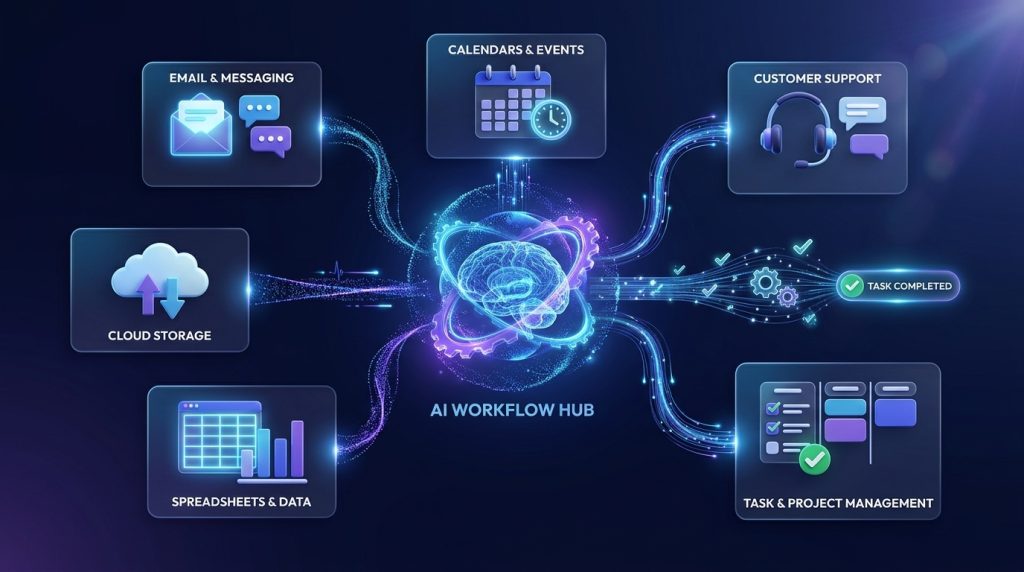
Do you spend too much time copying information between apps, sorting emails, updating spreadsheets, or sending repetitive messages? AI automation tools can handle many of these tasks automatically, giving you more time for work that needs your attention.
Modern automation platforms connect your favorite applications and use AI to process information, categorize data, summarize content, and trigger actions. Some require no coding, while others offer advanced controls for developers and businesses.
Here are five tools worth considering in 2026, including free options and platforms for more advanced workflows.
What Are AI Automation Tools?
AI automation tools connect applications and automate tasks that would otherwise require manual work.
Traditional automation follows predefined rules. For example, when someone submits a website form, the system adds their details to a spreadsheet.
AI-powered automation can go further. It might read the submitted message, identify what the customer needs, categorize the request, and send it to the appropriate team.
A typical workflow looks like this:
Trigger → AI processing → Decision → Action
Best AI Automation Tools in 2026
1. Zapier – Best for Beginners
Zapier is a popular choice for connecting applications without writing code. It supports more than 9,000 app integrations and lets users build workflows called Zaps.
For example, you can create a workflow that sends a Slack notification whenever a new lead arrives through a website form. You can also introduce AI steps to categorize information or process incoming content.
Its free plan includes 100 tasks per month and two-step workflows. The Professional plan starts at $19.99 per month. More complex workflows and premium app connections require a paid plan.
Best for: Beginners, freelancers, marketers, and small businesses.
Limitation: Task-based pricing can become expensive when workflows run frequently.
2. Make – Best for Visual Workflows
Make uses a visual canvas where you connect different applications and build multi-step scenarios.
Its routers and filters make it useful for workflows with multiple conditions. For example, an incoming customer request could be categorized and sent to different departments depending on its content.
The free plan includes 1,000 credits per month and access to its visual workflow builder. The Core plan starts at $12 per month for 10,000 credits when paid monthly.
Best for: Users who want more control over complex workflows without building everything through code.
Limitation: Understanding routes, filters, and data mapping takes some practice.
3. n8n – Best for Advanced Automation
n8n is a flexible workflow automation platform designed for users who want greater technical control.
It supports AI agent workflows, API connections, custom code, and self-hosting. This makes it attractive to developers and businesses building customized automation systems.
n8n offers a self-hosted Community Edition. Its hosted Starter plan is listed at €20 per month when billed annually, with 2,500 workflow executions and unlimited steps.
Best for: Developers, technical teams, and businesses that need customized AI workflows.
Limitation: Self-hosting requires technical knowledge and responsibility for infrastructure, updates, and security.
4. Microsoft Power Automate – Best for Microsoft Users
Power Automate is designed to automate business processes across Microsoft products and connected applications.
It supports cloud workflows and desktop automation, including robotic process automation (RPA). Desktop automation can interact with software through its user interface, which is useful when a system does not provide a suitable integration.
Microsoft offers a 30-day free trial. Its Premium plan is listed at $15 per user per month when paid yearly.
Best for: Businesses using Microsoft 365, Windows applications, and enterprise workflows.
Limitation: Licensing and advanced features can be more complicated than beginner-focused automation platforms.
5. Activepieces – Best for AI-Oriented No-Code Workflows
Activepieces is an automation platform with features for building workflows, AI agents, and connected applications.
Its free plan includes 1,000 credits per month, unlimited flows, up to five users, and chat-based automation building. The Plus plan costs $20 per month and includes 10,000 credits.
Best for: Small teams and users interested in building AI-powered workflows without starting with a developer-focused platform.
Limitation: Credits and AI-related usage can affect how much work your workflows can perform.
Plan details are based on the providers’ published pricing pages at the time of writing. Check current terms before subscribing.
AI Automation Tools Compared
| Tool | Best for | Free option | Main limitation |
|---|---|---|---|
| Zapier | Beginners and app connections | Yes, 100 tasks/month | Task limits |
| Make | Visual workflows | Yes, 1,000 credits/month | Learning curve |
| n8n | Advanced customization | Self-hosted edition | Technical setup |
| Power Automate | Microsoft workflows | 30-day trial | Licensing complexity |
| Activepieces | AI-oriented no-code workflows | Yes, 1,000 credits/month | Credit limits |
Everyday Tasks You Can Automate
You don’t need a complicated business system to benefit from automation. Start with a repetitive task that follows a predictable process.
Examples include:
- Email management: Categorize incoming inquiries and send notifications.
- Lead management: Add website form submissions to a spreadsheet or CRM.
- Content planning: Send new content ideas from a form to a project-management tool.
- Document processing: Extract information from invoices or submitted documents.
- Customer support: Classify support requests and route them to the right person.
- Reporting: Collect information from connected applications and prepare recurring reports.
AI is especially useful when a workflow needs to interpret text or classify information. For straightforward actions, ordinary rule-based automation may be cheaper and more reliable.
How to Build Your First AI Automation Workflow
Try a simple lead-management workflow:
Step 1: Choose a trigger, such as a new website form submission.
Step 2: Connect your form application to Zapier, Make, or another automation platform.
Step 3: Add an AI step to categorize the message as a sales inquiry, support request, or general question.
Step 4: Send the result to the correct spreadsheet, CRM, or team channel.
Step 5: Test the workflow with different submissions before enabling it for real customers.
For an AI classification step, you could use this instruction:
Read the submitted customer message and classify it as Sales, Support, or General Inquiry. Return only the category and a one-sentence explanation. If the message is unclear, return Needs Human Review. Do not invent customer information.
This keeps the AI task focused and gives you a way to handle uncertain results.
Common Automation Mistakes to Avoid
Automating everything immediately: Start with one repetitive task and confirm that the workflow works reliably.
Ignoring usage limits: Check whether a provider charges per task, credit, operation, or complete workflow execution.
Giving AI too much authority: Require human approval before sending sensitive messages, issuing refunds, deleting records, or making financial decisions.
Ignoring privacy: Avoid sending passwords, payment details, confidential customer records, or sensitive business information to services without reviewing their security and data-handling policies.
Failing to monitor errors: Build notifications and error-handling steps so you know when an automation stops working.
Automation should reduce repetitive work, not create a new system that nobody monitors.
Conclusion
AI automation tools can make everyday work easier by connecting applications, processing information, and handling repetitive tasks. You don’t need to build a complicated AI system to get started.
Try Zapier if you want a simple introduction, Make if you prefer visual workflows, or Activepieces if you want to explore AI-oriented automation. Consider n8n for technical control and Power Automate for Microsoft-based business processes.
Start with one task you repeat every day. Build a small workflow, test it carefully, and expand only when it works reliably.


