
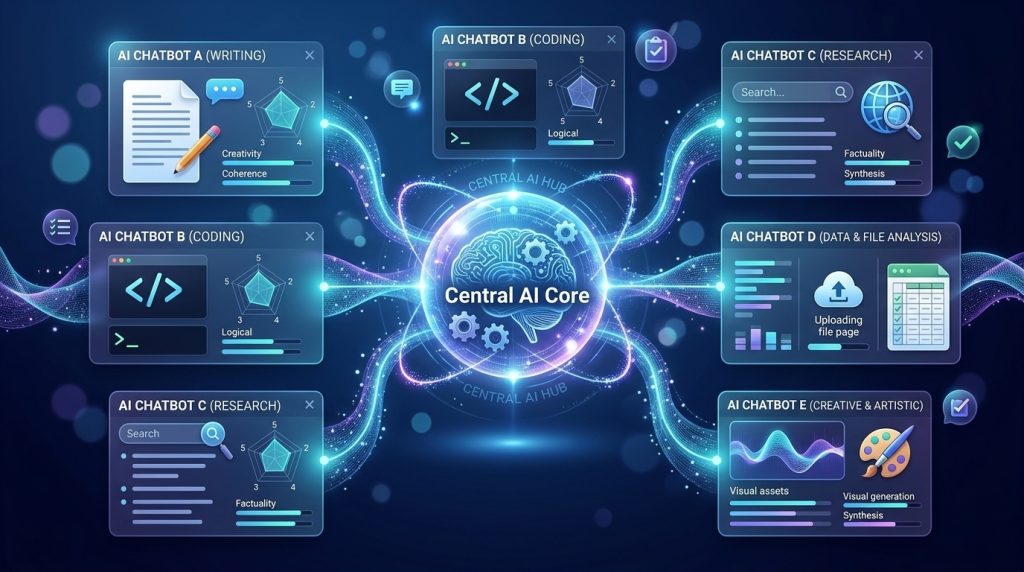
ChatGPT may be the best-known AI chatbot, but it is no longer the only serious option. In 2026, you can choose from assistants built around writing and coding, Google services, web research, Microsoft 365, real-time information, or open-weight AI.
The right choice depends less on which chatbot is “number one” and more on what you actually need it to do.
This guide compares Claude, Google Gemini, Perplexity, Microsoft Copilot, Grok, DeepSeek, and Mistral Vibe and explains where each one makes the most sense.
Quick Answer: Which ChatGPT Alternative Should You Try?
| AI chatbot | Best for | Free option | Main reason to try it |
|---|---|---|---|
| Claude | Writing and coding | Yes | Strong writing, reasoning and development workflows |
| Google Gemini | Google users | Yes | Deep integration with Google services |
| Perplexity | Research | Yes | Web-grounded answers with citations |
| Microsoft Copilot | Microsoft users | Yes | Integration with Microsoft products |
| Grok | Real-time information | Yes | Web, X and multimodal capabilities |
| DeepSeek | Free AI use | Yes | Free access to its AI assistant |
| Mistral Vibe | Productivity and coding | Yes | Chat, agents, coding and connectors |
These are use-case recommendations, not a universal ranking. Current plans, model access and usage limits can change.
What Is an AI Chatbot?
An AI chatbot is an application that lets you communicate with an artificial intelligence model using natural language.
You can ask it to explain a topic, write or edit content, analyze files, generate code, summarize information, brainstorm ideas, research a subject, or help with everyday tasks.
Modern chatbots are becoming more than simple text generators. Many now support web search, images, voice, file analysis, coding environments, connectors, and agent-style workflows.
That means the best alternative to ChatGPT depends heavily on your workflow.
1. Claude – Best for Writing, Coding and Complex Work
Anthropic Claude is one of the strongest alternatives for people who spend a lot of time writing, analyzing documents, or coding.
Its free plan provides access to Claude on web, mobile and desktop, along with writing, editing, coding, image analysis and web-search capabilities. Claude Pro currently costs $20 per month when billed monthly, with an annual option priced at $17 per month when billed upfront. Pro adds higher usage, Claude Code, Projects, Research and additional integrations.
Best for: Writers, developers, researchers and professionals working with long documents.
Choose Claude if: You want an AI assistant that feels particularly suited to drafting, reasoning and technical work.
Limitation: Higher usage and some advanced capabilities require a paid plan.
2. Google Gemini – Best for Google Users
Google Gemini makes the most sense if your everyday work already happens inside Google’s ecosystem.
Google’s current AI plans connect Gemini with services including Gmail, Docs, Sheets and other Google products. Google AI Pro is currently listed at $19.99 per month in the U.S. and provides expanded Gemini access, Deep Research and access to Google’s advanced models.
Best for: Students, professionals and businesses already using Google Workspace.
Choose Gemini if: You want AI assistance closely connected to Google services.
Limitation: Feature availability can vary by country, account type, language and subscription.
3. Perplexity – Best for Web Research
Perplexity takes a different approach from a traditional chatbot.
Instead of simply generating an answer from its model, Perplexity is built around web search and source-backed responses. Its official product information says answers are grounded in real-time web sources and include inline citations. The free version provides core search, while Pro adds higher limits, advanced models, file analysis, image generation and research features.
Best for: Research, fact-finding, current information and source discovery.
Choose Perplexity if: You frequently need to investigate a topic and want sources alongside the answer.
Limitation: Citations should still be opened and checked. A citation does not automatically make every AI-generated statement correct.
4. Microsoft Copilot – Best for Microsoft 365 Users
Microsoft Copilot is particularly useful if you already work with Microsoft products.
Microsoft provides a free version of Copilot for general chat, writing, brainstorming, summarization and web-based answers. Deeper integration with applications such as Word, Excel, PowerPoint and Outlook is available through eligible Microsoft 365 subscriptions.
Best for: Microsoft 365 users, office workers and businesses.
Choose Copilot if: Your documents, email and productivity workflow already live inside Microsoft’s ecosystem.
Limitation: The most useful workplace features depend on the Microsoft 365 plan and account configuration.
5. Grok – Best for Real-Time and Multimodal Work
xAI Grok has developed beyond simple text chat.
Its current product documentation lists text chat, voice, image and video creation, file uploads, and connectors for services such as email, files and calendars. Grok is free to start, while paid plans increase usage and unlock additional capabilities.
Best for: People interested in current information, multimodal creation and the X ecosystem.
Choose Grok if: You want an assistant that combines conversational AI with image, video, voice and connected tools.
Limitation: Usage limits and access to advanced capabilities vary by subscription.
6. DeepSeek – Best Free Alternative to Try
DeepSeek is worth considering if your priority is getting access to a capable AI assistant without immediately paying for a subscription.
DeepSeek’s official site describes its app as a free AI assistant and provides official applications for major platforms. DeepSeek also publishes its model and API developments separately for developers.
Best for: Students, developers and users looking for a free AI assistant.
Choose DeepSeek if: You want another capable chatbot to compare against your current AI tool.
Limitation: For sensitive work, always review the provider’s current privacy and data-handling policies before uploading confidential information.
7. Mistral Vibe – Best for AI Productivity and Coding
Mistral AI has evolved its former Le Chat product into Mistral Vibe, a unified AI assistant for productivity and coding.
The free plan provides limited access to chat, web search, coding and other capabilities. Paid plans increase usage and add broader functionality. Vibe can work across web, mobile and coding environments, while connectors can connect it with services such as Slack, GitHub, Jira and other tools.
Best for: Developers, technical users and people interested in AI agents and connected workflows.
Choose Vibe if: You want conversational AI and coding/productivity features in the same ecosystem.
Limitation: Some advanced agentic and coding capabilities are restricted by plan.
How to Choose the Right AI Chatbot
Instead of asking which chatbot is objectively best, start with your main task.
For writing: Try Claude.
For Google Workspace: Gemini is the natural choice.
For research with sources: Perplexity is worth trying.
For Microsoft 365: Copilot makes the most sense.
For real-time and multimodal work: Consider Grok.
For a free alternative: DeepSeek is worth comparing.
For coding and connected AI workflows: Mistral Vibe is another option.
You also don’t have to choose only one. Many people can benefit from using one general-purpose chatbot and a second specialized tool for research, coding or productivity.
Don’t Trust AI Answers Blindly
A different chatbot does not automatically mean more accurate information.
AI systems can still make mistakes, misunderstand questions, produce outdated information, or confidently state something that is incorrect.
For important subjects, ask the chatbot for sources, open those sources yourself, and compare information from reliable first-party or authoritative references.
This is especially important for medical, legal, financial, academic and business decisions.
A Simple Way to Compare Chatbots
Try giving two or three chatbots the same prompt.
For example:
“Explain how Roth IRA contributions work for a beginner in the United States. Use simple language, identify the important limitations, and provide official sources for the information.”
Then compare:
- Accuracy
- Source quality
- Clarity
- Completeness
- How well it follows instructions
- Whether it admits uncertainty
- How much editing you need afterward
This gives you a much more useful comparison than simply choosing a chatbot because someone called it “the best.”
Conclusion
ChatGPT is only one option in a much larger AI chatbot market.
Claude is particularly attractive for writing and coding, Gemini fits naturally into Google’s ecosystem, Perplexity is designed around web research, and Copilot is useful for Microsoft users. Grok offers a broader multimodal and real-time experience, DeepSeek provides a free alternative, and Mistral Vibe is worth exploring for coding and connected productivity workflows.
The smartest approach is to match the chatbot to the job. Try the free versions first, compare the same tasks across multiple tools, and only pay for a subscription when its additional capabilities genuinely improve your workflow.


