

If you spend part of your day writing repetitive emails, summarizing documents, researching information, creating social posts, organizing data, or turning notes into finished content, free AI tools can help reduce that workload.
You don’t need a large software budget to get started. Several major AI platforms currently offer free access, although their advanced models, usage limits, and premium features vary.
The trick is not to collect dozens of AI tools. Start with a few that solve specific problems and combine them into simple workflows.
Quick Answer: What Are the Best Free AI Tools?
For general-purpose work, ChatGPT is a strong starting point because its Free tier currently includes web search, file and image uploads, data analysis, GPT discovery, and image creation, although individual tools have separate usage limits.
Microsoft Copilot is useful for people already working in the Microsoft ecosystem, while Canva Free is useful for creating designs and accessing selected AI features with usage limits.
The best choice depends on the task rather than the tool’s popularity.
Best Free AI Tools for Everyday Tasks
| Tool | Best for | Free access | Main limitation |
|---|---|---|---|
| ChatGPT | Writing, research, files and general tasks | Yes | Usage limits vary by feature |
| Microsoft Copilot | Web answers and Microsoft ecosystem | Yes | Free access has limits |
| Canva | Designs, presentations and visuals | Yes | AI usage and premium features are limited |
| Google Gemini | Google-oriented AI assistance | Free access available | Features and limits vary |
| Zapier | Connecting apps and automating workflows | Free plan available | Free automation capacity is limited |
1. ChatGPT – Best All-Purpose Free AI Tool
ChatGPT is useful when one task involves several different types of work.
You can use it to:
- Draft and rewrite emails
- Summarize documents
- Analyze uploaded files
- Research topics
- Generate ideas
- Create images
- Explain complicated subjects
- Analyze data
OpenAI’s current Free tier includes web search, file and image uploads, data analysis, GPT discovery, and image generation. These tools have separate usage limits, so free access does not mean unlimited access to every feature.
Best for: General productivity, writing, research, studying, and everyday problem-solving.
2. Microsoft Copilot – Best for Microsoft Users
Microsoft Copilot provides a free version for individual users, subject to capacity and usage limits. Microsoft says deeper integration with Word, Excel, PowerPoint, and Outlook is available through eligible Microsoft 365 subscriptions.
That makes Copilot particularly useful if your daily work already revolves around Microsoft products.
Best for: Microsoft users, web questions, drafting, and productivity tasks.
3. Canva Free – Best for Visual Tasks
Canva is useful when your everyday work involves graphics rather than text alone.
The Free plan currently costs $0 and includes a large template and design library, along with limited access to selected AI features. Canva says AI access varies by plan and that free users can encounter usage limits.
You can use it for:
- Social media graphics
- Presentations
- Posters
- Simple marketing materials
- AI-generated visuals
- Basic content design
Best for: Creators, students, marketers, and small businesses.
4. Google Gemini – Best for Google-Centered Work
Google Gemini is another useful general-purpose AI assistant, particularly for people already using Google’s ecosystem.
It can help with research, writing, brainstorming, and other everyday tasks. Free access and feature availability can change, so check Google’s current plan information before depending on a particular feature.
Best for: People who already rely heavily on Google services.
5. Zapier — Best for Connecting Apps
Zapier is different from a chatbot. Its main purpose is connecting applications and automating workflows.
For example:
New form submission → process information → add it to a spreadsheet → notify your team
You can add AI to parts of a workflow where interpretation or content generation is useful.
Best for: Freelancers, marketers, small businesses, and anyone dealing with repetitive app-to-app tasks.
Everyday Tasks You Can Automate With Free AI Tools
You don’t need a complicated automation system to save time.
Automate Email Drafting
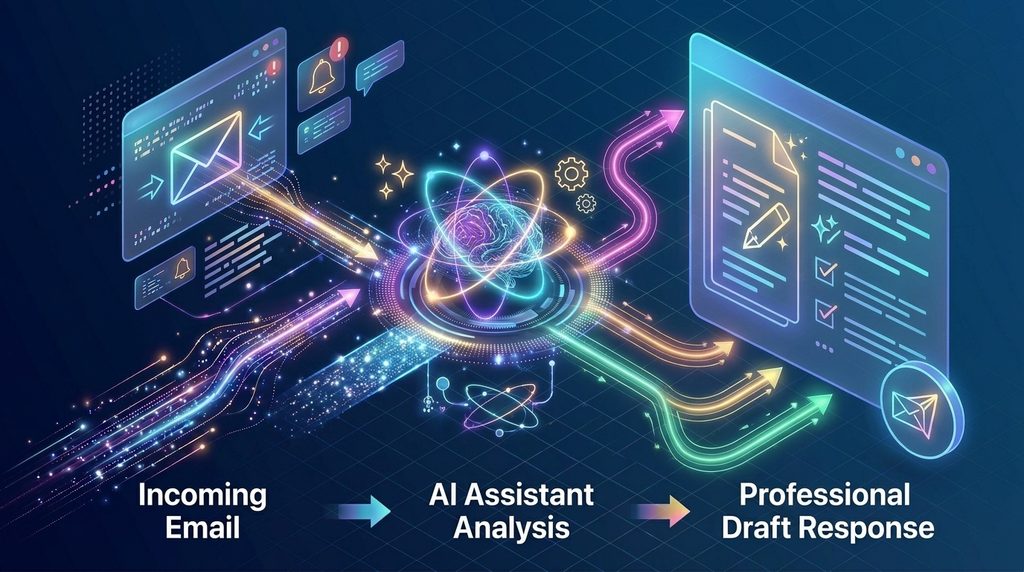
Instead of writing every repetitive response manually, use an AI assistant to create a first draft.
For example:
“Write a concise, professional response to this customer asking for their order number and explaining that we will investigate the issue.”
You can then review the response before sending it.
Turn Notes Into Organized Content
Suppose you have a page of rough notes from a meeting.
You can ask an AI tool to:
- Extract the important decisions.
- Identify action items.
- Assign each task to the person mentioned.
- Turn the result into a clean checklist.
This is much more useful than simply asking AI to “summarize this.”
Automate Research
Instead of opening dozens of pages and manually collecting information, use an AI assistant that supports web research.
A practical workflow could be:
Question → research → summary → key facts → action list
Always verify important information before using it professionally, particularly when the subject involves financial, legal, medical, or other high-stakes decisions.
Create Social Media Content
A simple content workflow might look like:
Blog article → AI extracts key points → creates post ideas → Canva creates graphics → human reviews everything
AI handles repetitive preparation while the final publishing decision remains with you.
How to Build Your First Free AI Workflow
Start small.
Step 1: Find one repetitive task
Choose something you do several times a week.
Examples:
- Rewriting emails
- Summarizing reports
- Creating social posts
- Organizing information
- Preparing meeting notes
Step 2: Choose one AI tool
Don’t install ten tools at once.
Try ChatGPT, Copilot, Gemini, or another appropriate free tool and determine whether it actually saves time.
Step 3: Write a clear instruction
Instead of:
“Summarize this.”
Try:
“Summarize this document in five bullet points. Then list the three most important actions I need to take. Do not include background information unless it affects one of those actions.”
Specific instructions usually produce more useful results.
Step 4: Add automation only when necessary
If you repeatedly move information between applications, a workflow platform such as Zapier can help connect the steps.
Step 5: Review the output
Free AI tools can still make mistakes. Treat generated information as a starting point rather than automatically correct information.
Are Free AI Tools Really Free?
Usually, “free” means free access with restrictions, not unlimited use.
For example, ChatGPT’s Free tier has separate limits for features such as file uploads, image generation, voice, and data analysis.
Canva Free also provides AI access with usage limitations, and some advanced capabilities require a paid plan.
Microsoft similarly describes Copilot’s free version as limited and notes that limits and features can vary by plan and region.
Before building an important workflow around a free service, check its current limits.
Privacy: What Should You Be Careful About?
AI tools can process the information you provide.
Avoid casually uploading:
- Passwords
- Private customer records
- Confidential business documents
- Financial account information
- Sensitive personal information
- Proprietary company material
Check the tool’s current privacy and data controls before using it for sensitive work.
For business workflows, also review the permissions granted to connected applications. An automation should have access to only the information it actually needs.
Common Mistakes to Avoid
Using too many tools: One reliable tool is more useful than ten unused accounts.
Automating everything: Keep human review for important decisions.
Ignoring free-plan limits: A workflow that works today may stop when you reach a monthly or daily allowance.
Trusting AI blindly: Check important facts and calculations.
Giving excessive permissions: Connected applications should receive the minimum access required.
FAQs
What are the best free AI tools?
For general productivity, ChatGPT, Microsoft Copilot, and Google Gemini are useful starting points. Canva is particularly useful for visual work, while Zapier can help connect applications into automated workflows.
Can I use free AI tools without paying?
Yes. Several major AI services provide free tiers. However, free plans commonly restrict usage, advanced models, AI generations, storage, or other features.
What is the best free AI tool for beginners?
ChatGPT is a practical starting point because it combines several capabilities in one interface, including writing, web search, file analysis, data analysis, and image creation.
Can free AI tools automate my work?
Yes, but the level of automation varies. Chatbots can handle individual tasks, while workflow platforms such as Zapier are designed to connect multiple applications and automate processes.
Are free AI tools safe?
They can be useful, but safety depends on the service, your settings, the information you provide, and the permissions you grant. Don’t assume that a free service is automatically appropriate for confidential information.
Do free AI tools have usage limits?
Usually. Free plans commonly have limits on messages, AI generations, file processing, advanced models, or automation tasks. These limits can change as products are updated.
Do I need coding skills to use AI automation?
No. Many AI tools are designed for non-technical users. Basic automation platforms also provide visual workflow builders, although advanced automation may benefit from coding or API knowledge.
Conclusion
The most useful free AI tools are not necessarily the ones with the longest feature lists. They are the tools that remove a specific repetitive task from your day.
Start with one problem: writing repetitive emails, summarizing documents, creating graphics, researching information, or moving data between applications. Choose one suitable free tool, create a simple workflow, and measure whether it actually saves time.
Once the basic process works, you can connect additional applications and introduce more automation.
And remember: free plans change. Before building a workflow you depend on, check the tool’s current limits, privacy settings, and terms.


